


Enabling multimodal AI for smart glasses
 Meta
MetaOverview
In April 2024, Meta shipped the industry's first multimodal AI on Ray-Ban smart glasses. For the first time, users could wear an AI that could see and understand the world around them. But unlike a phone you pick up and put down, these glasses were worn all day, in every room, every conversation. They fundamentally changed the relationship between a device and the people around it, raising privacy questions no consumer product had answered before.
I led the design of the onboarding experience, privacy consent flow, and settings UX, giving users clarity, control, and transparency over how Meta AI worked. The onboarding experience launched as part of the Meta AI rollout that helped Ray-Ban Meta surpass 1,000,000 units sold in 2024.
Six months later, I drove the consent and regional data governance UX that expanded Meta AI into international markets including the EU, UK, and Australia. I authored an internationalization (i18n) playbook that enabled product, design, and engineering teams to launch in new markets independently under a shared strategy. I also created a privacy design guideline that established a scalable framework for obtaining user consent across future AI features.
By the end of 2025, my work has helped bring Meta AI on smart glasses to 21 countries in 10 languages, reaching over 7 million devices.
The Problem
This multimodal AI launch was delayed. The first generation of Ray-Ban Meta glasses had launched six months earlier, in September 2023, and people had been anticipating this AI capability since the original announcement.
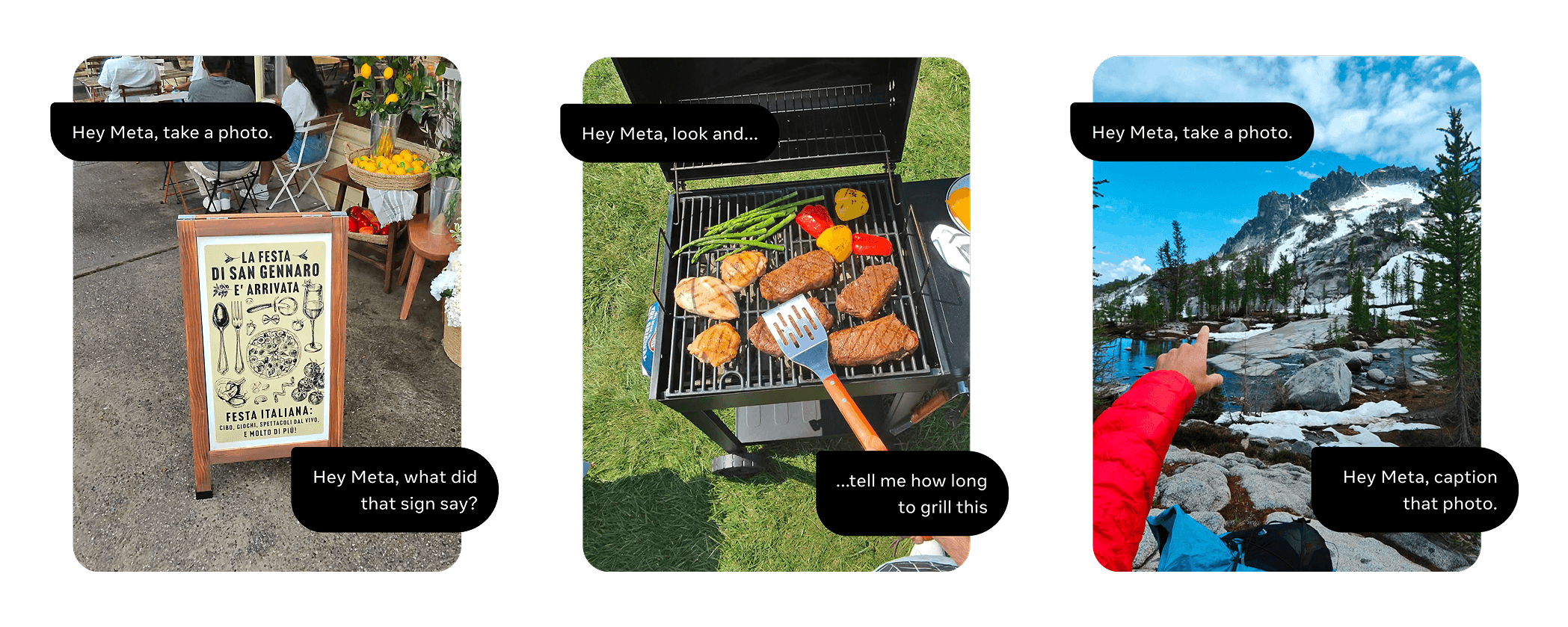
That gap created two distinct user groups for the same launch.
Existing owners
They had already built trust with the product through familiar voice commands like “play music” and “call Mom.” Multimodal AI fundamentally changed what the glasses could do by introducing multimodal AI with new camera and voice capabilities. They had to complete a required consent flow that explained those changes without making the experience feel like a blocker.
New buyers
They were experiencing the product for the first time, with multimodal AI available from day one. The challenge was to build trust through clear privacy education and consent while getting users to their first “wow” moment as quickly as possible.
How might wemake both existing and new users excited about the industry's first-ever multimodal AI, while navigating legal, privacy, and a large group of stakeholders?
Existing/migration user experience - MUX
Existing users already trusted voice interactions, so I framed multimodal AI as an upgrade rather than a completely new product. My initial concept explored three paths: upgrading to voice and camera, keeping voice only, or declining Meta AI entirely. This gave users granular control while acknowledging different comfort levels around AI.
- Upgrading to AI with “voice and camera” as the default option.
- Continue using “voice only.”
- Decline Meta AI and disable both camera and microphone.
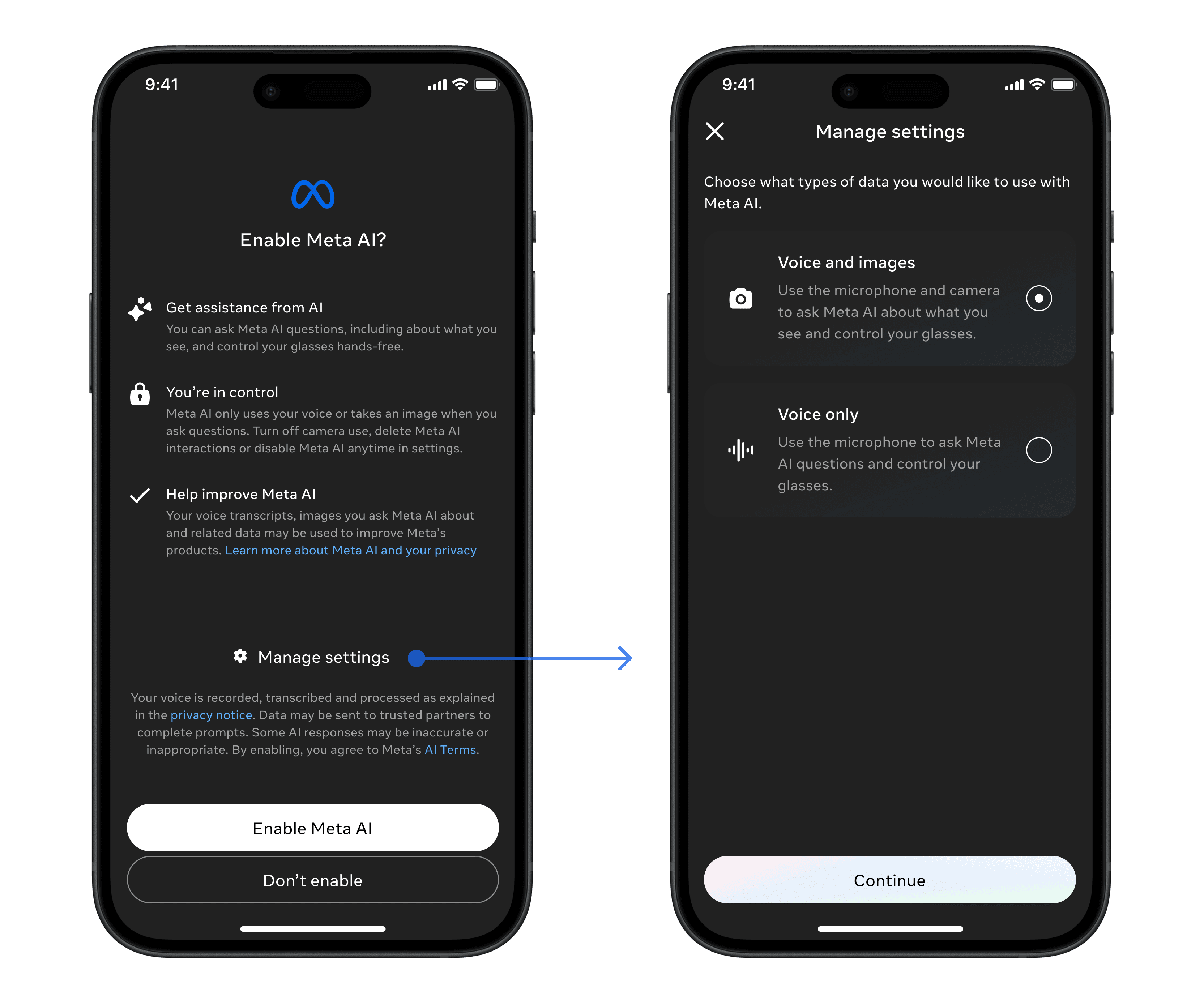
Offering users 3 choices seemed straightforward, but each option introduced different tradeoffs across Design, Legal, Product, and Engineering.
Through multiple rounds of design critique, XFN reviews, and leadership discussions, I decided to remove the “Manage options” path and simplify onboarding to two clear choices: enable the full Meta AI experience with camera and microphone, or decline Meta AI. I made sure the experience clearly communicated that declining Meta AI would also disable voice commands, leaving the glasses controllable only through physical buttons.
Design: simple & delightful
Giving users granular control over mic and camera mattered, but so did preserving the excitement of experiencing multimodal AI for the first time. Too many decisions early in the flow would undercut that moment, so we intentionally moved more granular controls into Settings rather than exposing them during onboarding.
Legal: Transparent & compliant
Clearly explain how microphone and camera data is collected, processed, and used by AI. Different consent types must remain separate, with unbiased language and opportunities to opt out.
Product: Adoption & usage
Maximize Meta AI adoption while ensuring users understand what multimodal AI can do and experience its core value as quickly as possible.
Engineering: scalable & maintainable
Minimize consent variations to reduce implementation complexity. Supporting voice only, voice and camera, and neither would significantly increase engineering cost and future maintenance.
Then, I added a lightweight pre-prompt page with sample utterances before the consent, so the required blocking consent felt like the beginning of an exciting new capability rather than an interruption.

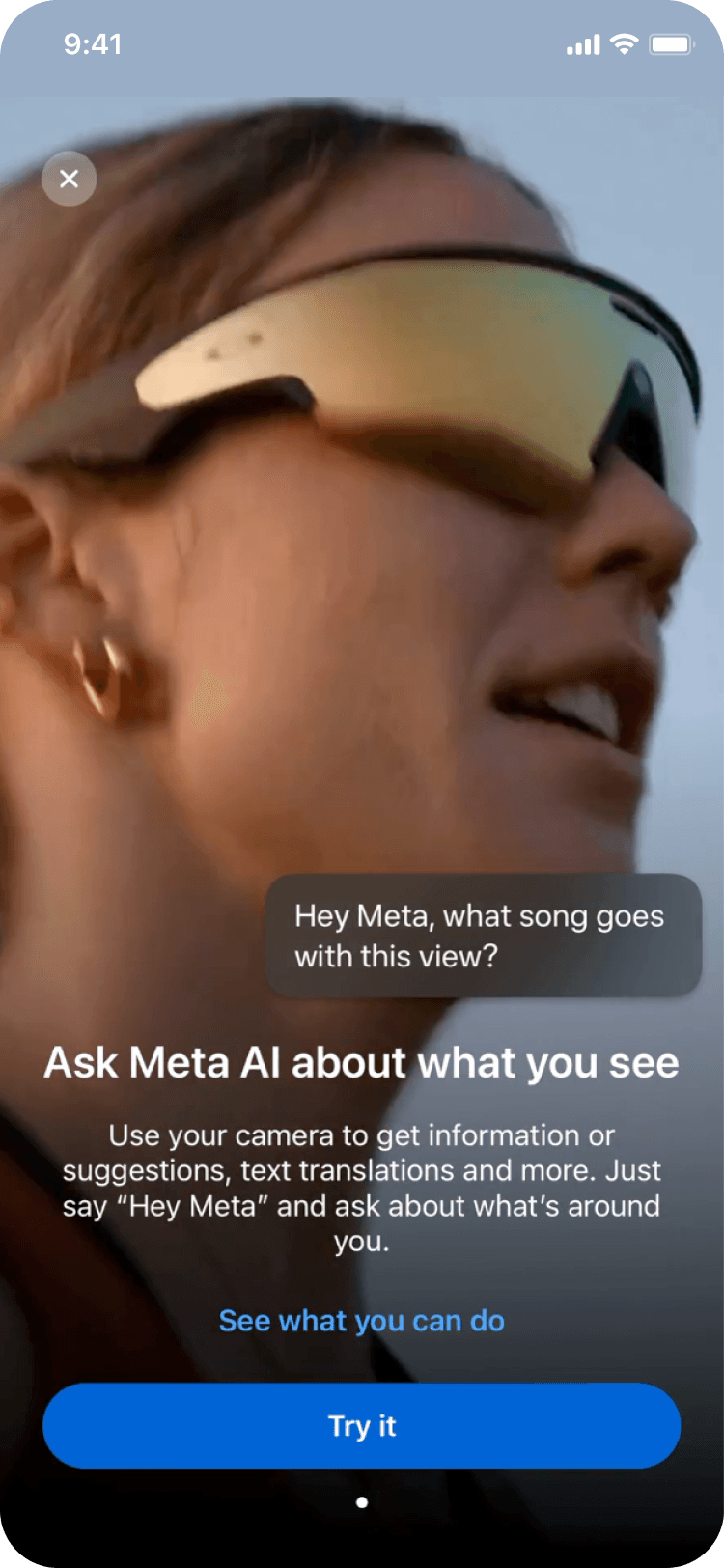
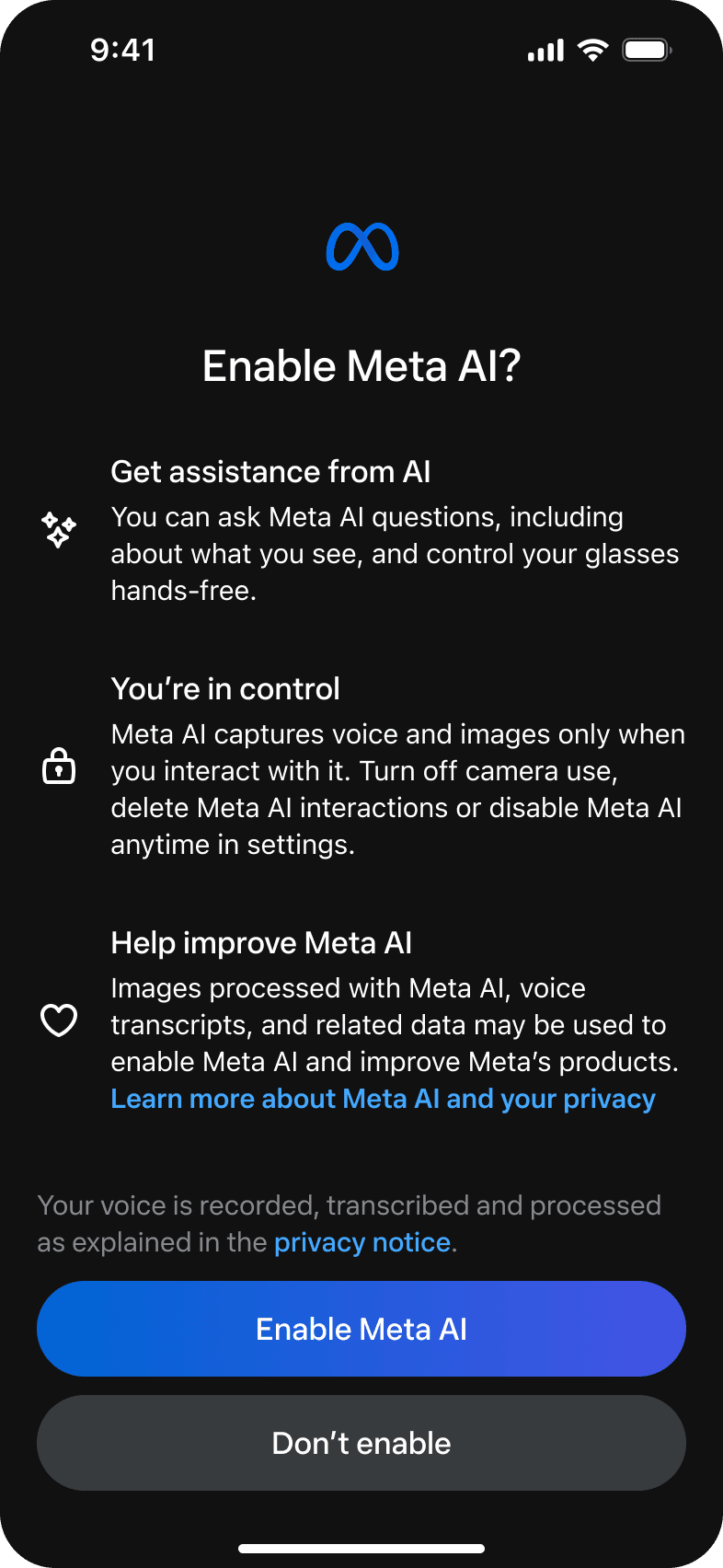
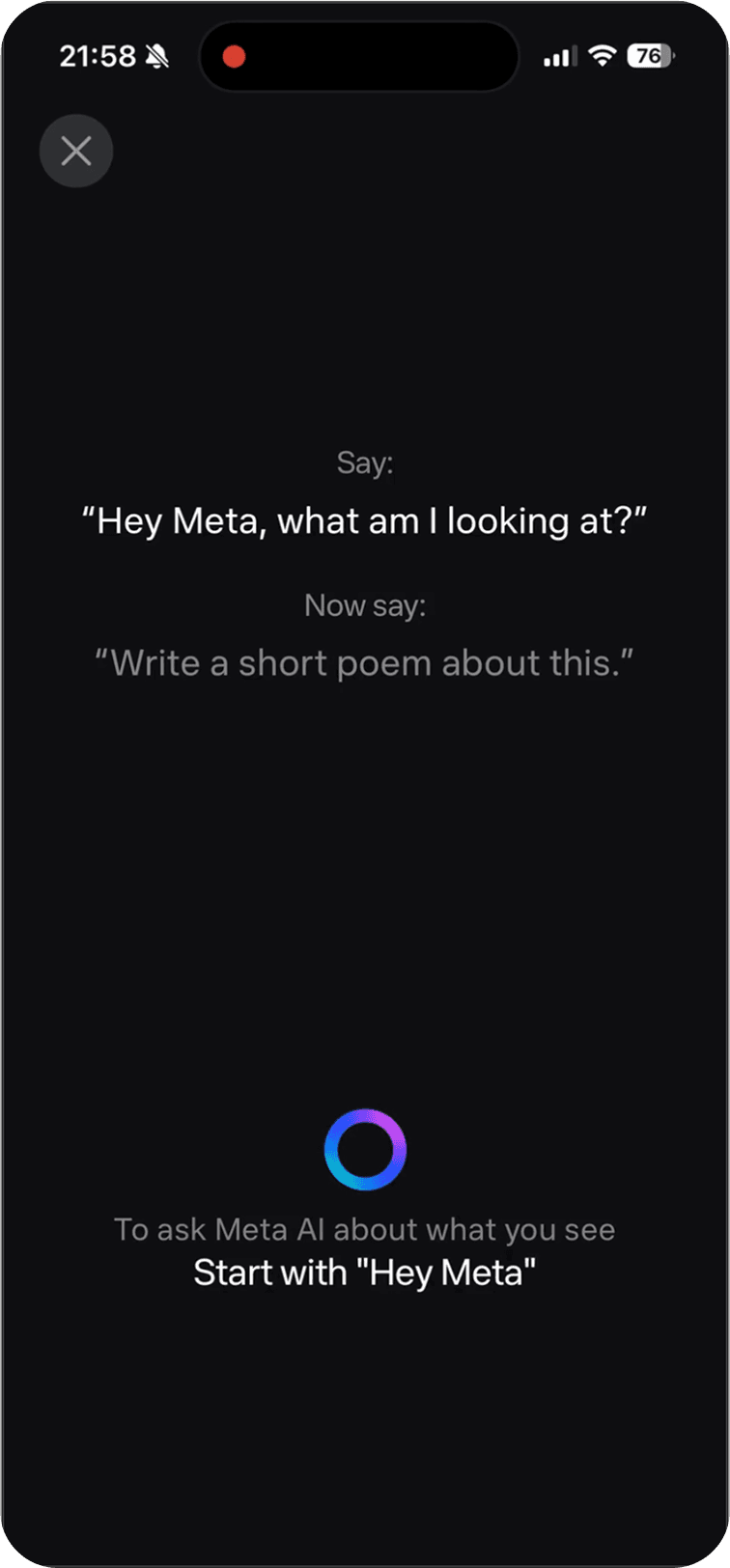
Once users completed onboarding, I intentionally moved more granular controls into Device Settings. Users could keep Meta AI enabled while turning off camera access independently, so the AI would never “see” anything and would interact with them through voice alone. This balanced regulatory requirements for separate controls with a simpler onboarding experience that prioritized helping users experience value first.
New user experience - NUX
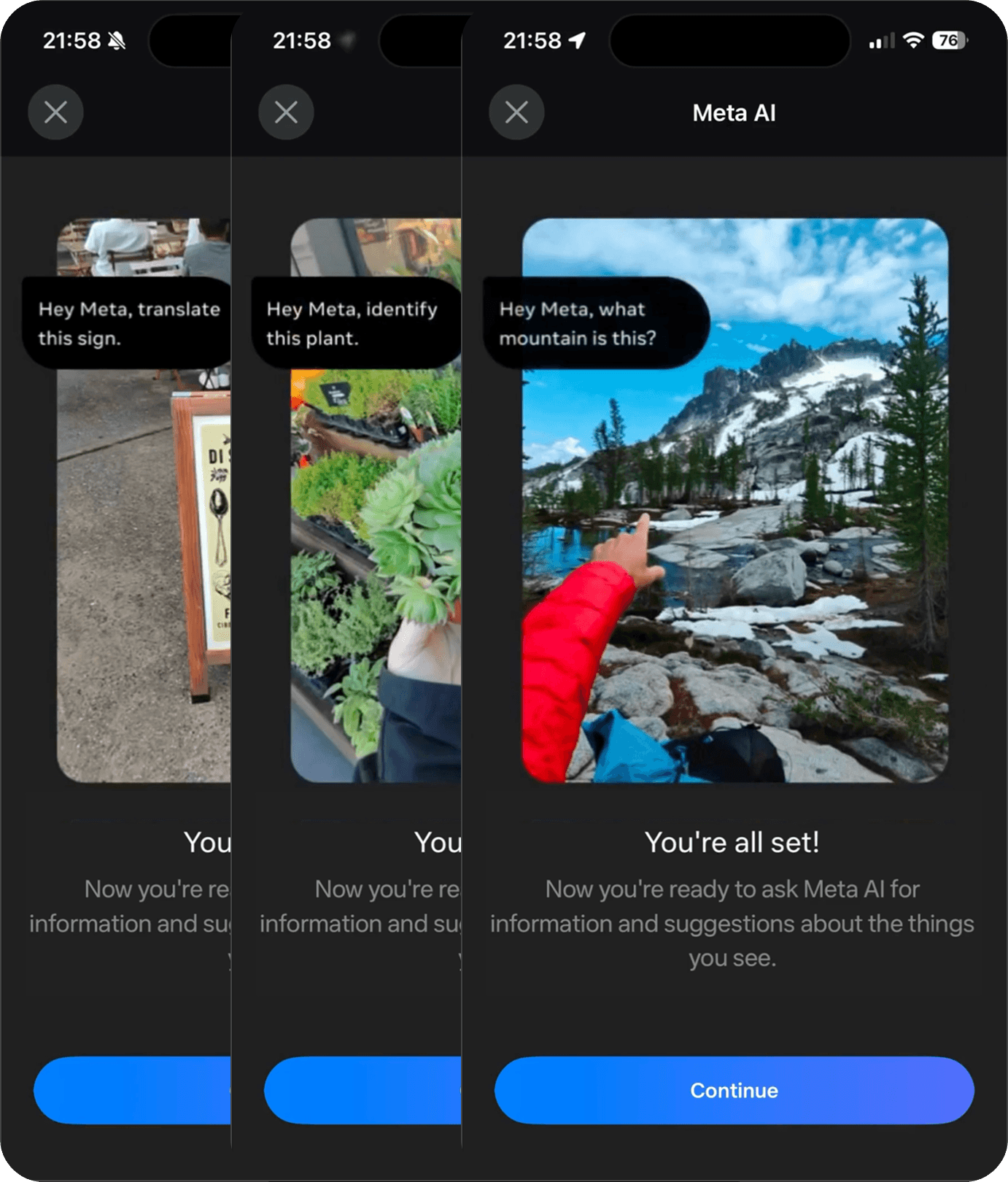
Once the core consent requirement was finalized, I integrated it into the broader onboarding journey, which would be users' first app moments after purchasing the smart glasses. Rather than treating consent as a standalone legal requirement, I sequenced education, consent, and product exploration to match how users naturally build understanding: connect the device, learn the basics, enable AI, then immediately experience multimodal AI through a guided interaction. The onboarding concluded with an interactive experience where users asked their glasses a real question about what they were seeing and received a live response. This transformed multimodal AI from a concept users had read about into something they had personally experienced.
Clips play automatically in sequence. Hover any one to play it yourself.
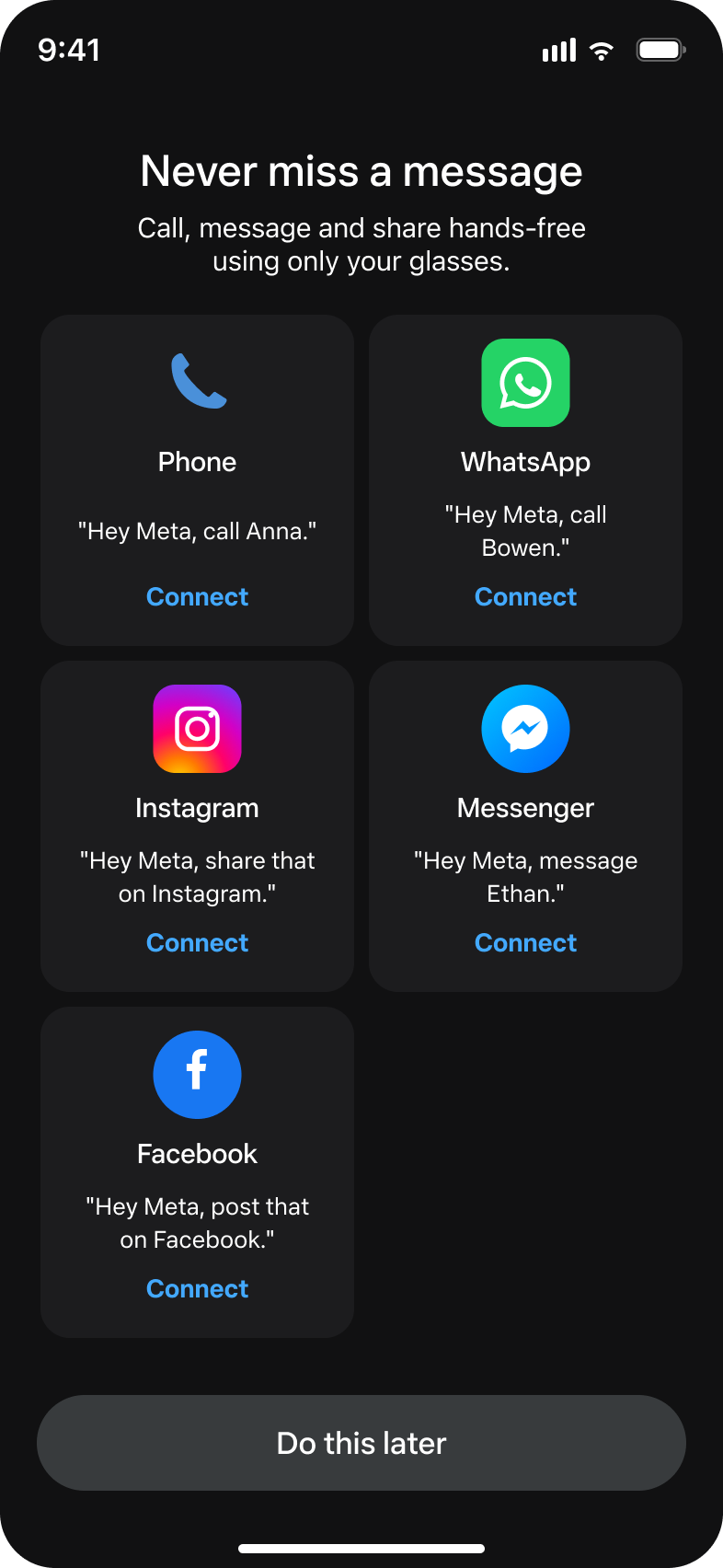
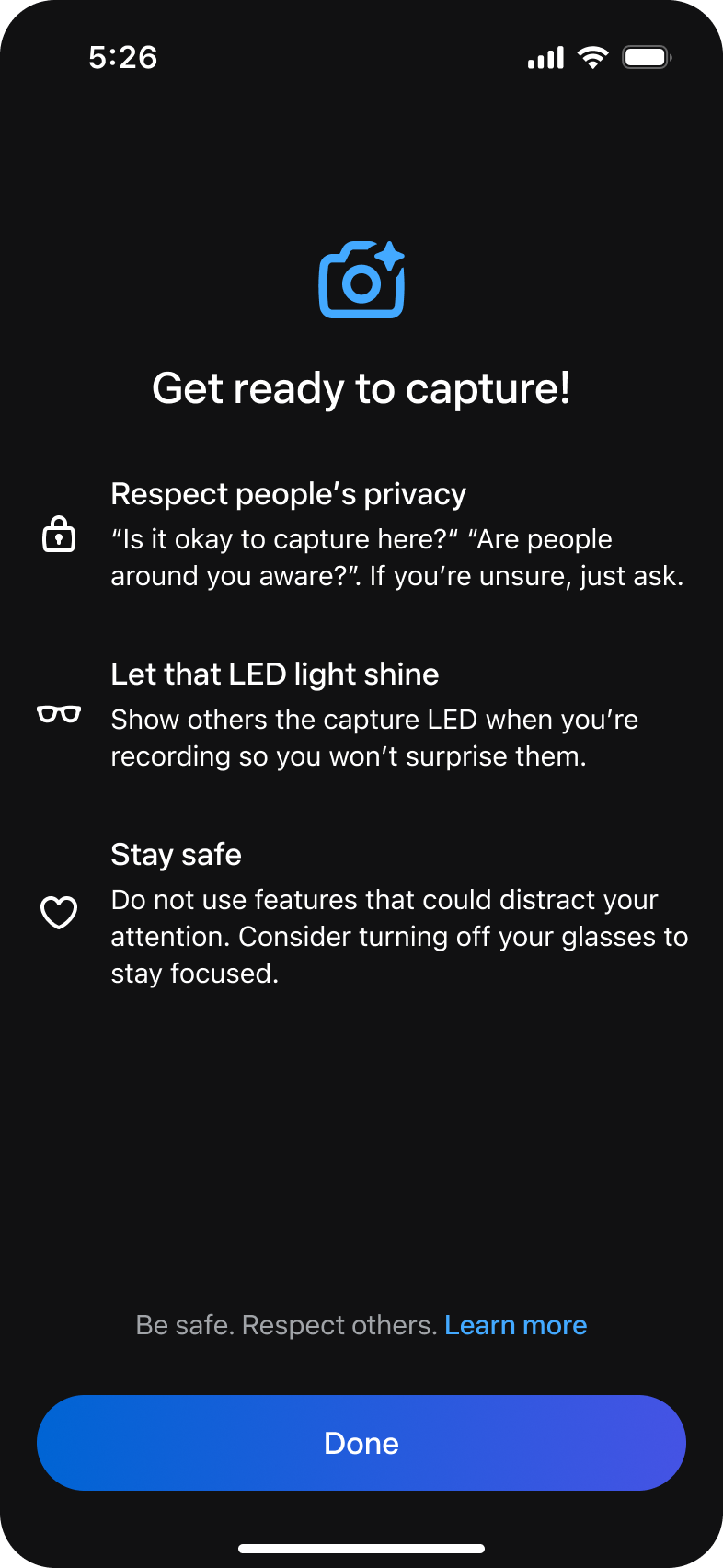
I worked closely with the onboarding team to sequence these pieces (education, consent, tour) and to make sure the tour ended on a clear, dedicated privacy and safety callout rather than treating it as an afterthought.
This UX launched to all US and Canada users in April 2024, and helped drive Ray-Ban Meta surpass 1,000,000 units sold in 2024.
Expand internationally with complex regulations
With strong international demand, Meta set an aggressive goal to expand Meta AI to the EU and UK within six months. Scaling internationally introduced an entirely new challenge. The EU AI Act had just taken effect, there were no established patterns for AI devices with microphones and cameras worn throughout the day, and regulatory expectations were still evolving. At the same time, we had only two months to prepare for a holiday season launch.
The challenge went beyond localization. Different countries and legal teams required different consent requirements, resulting in 6 unique consent flows for our initial EU and UK expansion. The most complex scenario was when users traveled between countries. We needed to seamlessly upgrade or downgrade their consent experience without disrupting the user experience.
To make future launches scalable, I documented every consent scenario into an i18n playbook that product, design, engineering, legal, and localization teams could use to launch new markets without redefining privacy decisions each time. The playbook became the foundation for expanding Meta AI consistently across regions while reducing ambiguity during future launches.
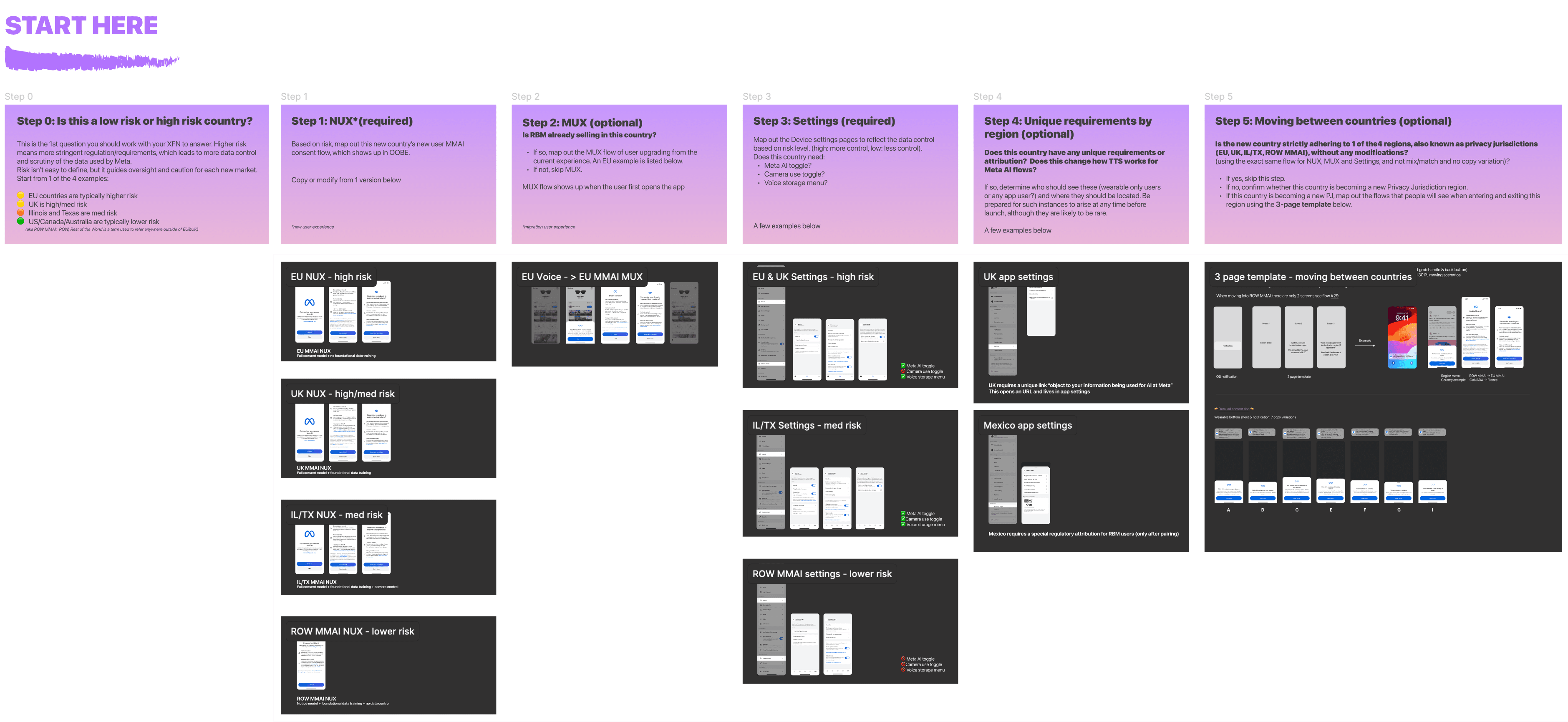
i18n playbook covers all consent scenarios for future markets launch
Establish scalable privacy guideline
As new AI capabilities continued to emerge, teams repeatedly faced the same question: does this feature require new user consent, and if so, how should that consent be designed? Rather than solving the problem feature by feature, I created a privacy design guideline that defined when consent was required, how consent should be presented, and the design principles every experience should follow. The framework established a consistent approach across future AI features while extending naturally to system permissions such as microphone and location access.
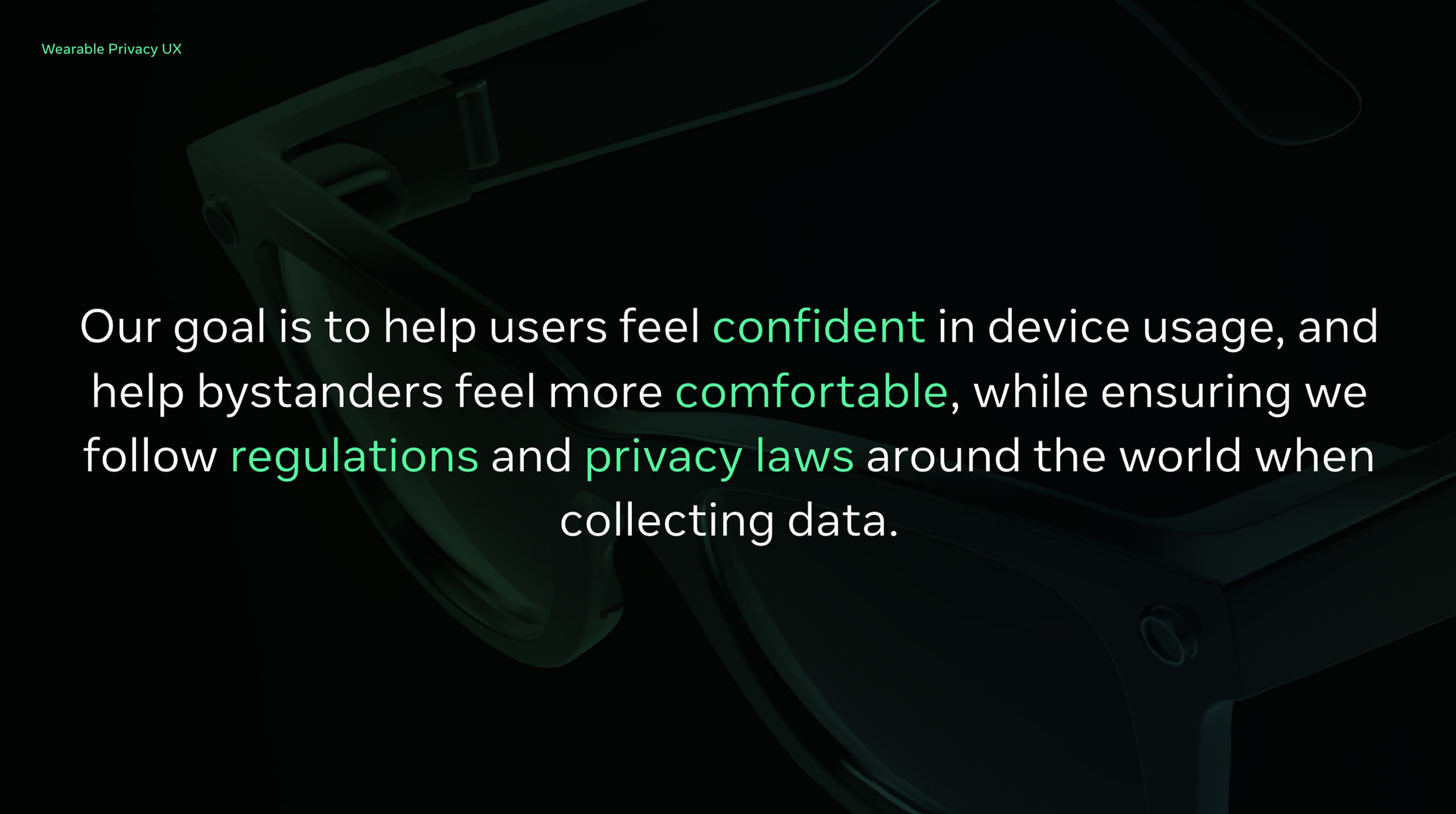
SAMPLE SLIDES FOR WEARABLE PRIVACY UX GUIDELINE
Looking Back
The hardest part of this project was never the technology. It was resisting the urge to expose every control we could build. Rather than letting legal and regulatory requirements bloat the primary experience, I pushed to keep onboarding simple and moved more granular controls into a secondary surface that remained easy to find. As AI becomes more pervasive, I keep reminding myself that simplicity with transparency should always be the key to a delightful user experience.