

Modernize Employees' Finance Experience
 Microsoft
Overview
In 2019, I joined a newly formed design team tasked with modernizing finance experiences for Microsoft employees. I was the 1st designer and eventually helped grow the team to 5 designers and 1 user researcher.
Employees had a wide range of financial needs, supported by a fragmented ecosystem of tools and apps. Leadership saw an opportunity to modernize the entire experience, but there was not a clear roadmap or vision for where to start.
As the 1st designer on the initiative, I scoped the opportunity by first understanding the finance domain, then mapping the ecosystem, identifying four high-impact opportunities, and bringing PMs, engineers, finance leaders, and employees together through workshops and design sprints. I created the design vision, principles, and multi-year roadmap, then translated that vision into individual products.
The work sparked a broader portfolio of finance modernization projects, one of which was a mobile-first travel and expense experience that shipped to 100K+ employees. This project reflects how I typically work in ambiguous environments: create clarity, align teams around a vision, and turn a large problem into products that can ship.
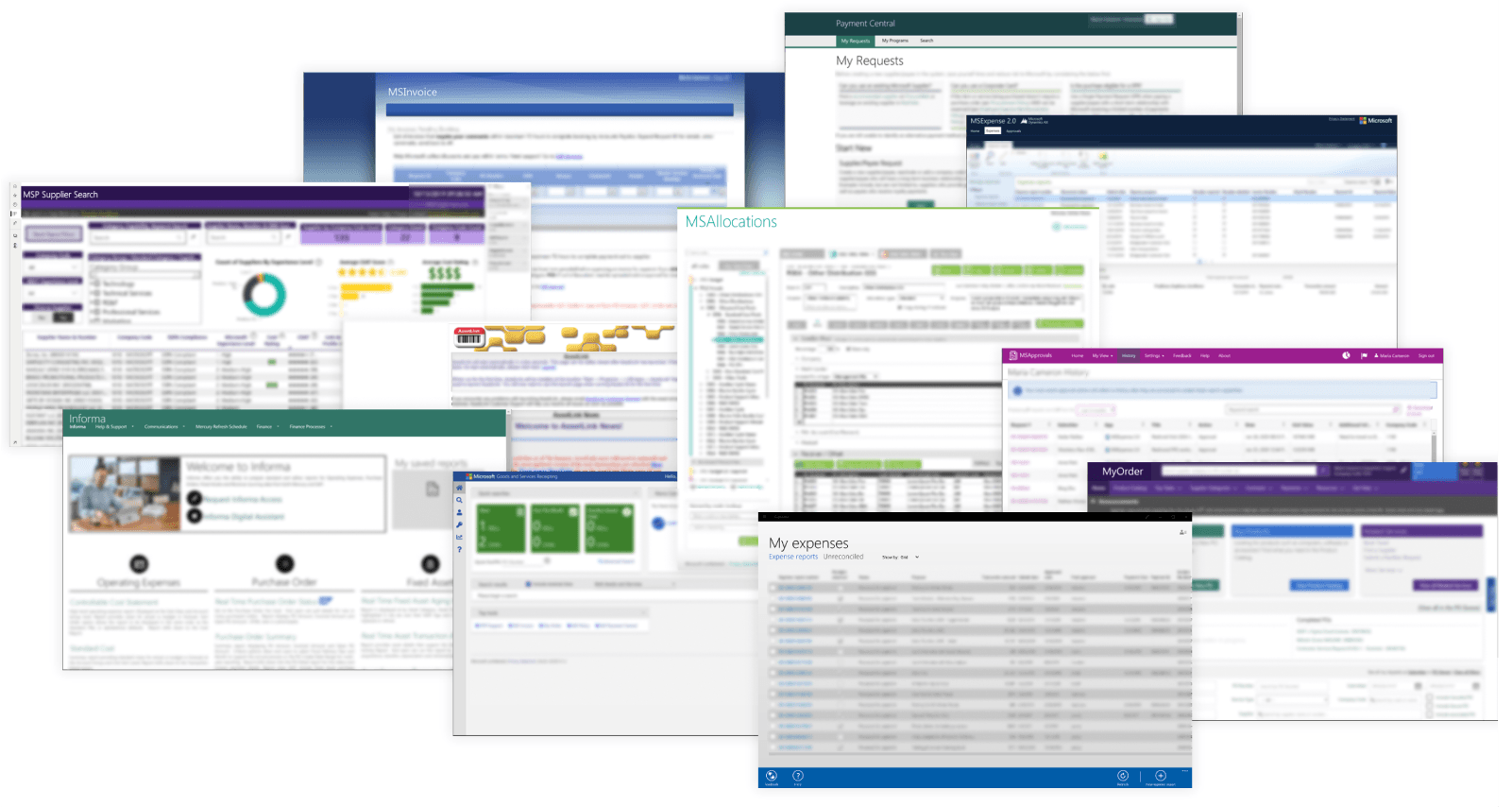
SOME OF THE OVER 100+ FINANCE TOOLS EXIST TODAY IN THE COMPANY
Understanding the Domain
The 1st challenge was figuring out where to focus. I spent my first month connecting with 20+ domain experts across product, engineering, and finance to understand the ecosystem and its biggest opportunities. I learned that there were dozens of user scenarios, from procuring software and managing team budgets to sourcing suppliers and reporting company earnings.
Each scenario had different personas, user needs, and multiple existing tools. I identified 4 high-impact scenarios spanning employee and finance workflows, then formed a cross-functional working group for each with finance business owners and PMs responsible for the existing tools.
Over the next 3 months, I led all 4 groups in parallel, met twice a week, using the same method: understand the existing personas, research, workflows, and pain points. I then started to illustrate an ideal future experience for each of these. These future-state experiences were later broken down into features and used to inform project planning and prioritization. planning.
Travel & Expense stood out because it touched a much broader employee population than the other scenarios. I chose Abby’s journey for the deeper design work below.

Travel & Expense — Abby
Leading a product team of 75 engineers across 3 countries, Abby travels to Hyderabad and Dublin offices twice a year for engineering planning and supplier meetings. With all her leads meeting regularly together in one place, engineers are working more collaboratively and efficiently.

Manage Team Budget — Becky
Becky manages a multidisciplinary team in the Beijing Office. Her team reports costs for 3 different cost centers. She also has 1 vendor contract and its responsibility has expanded over the years. Around Q3 of each fiscal year, Becky submits her non-people asks for the next year in Excel. They roll up to the larger org and to China finance for final approval.

Tax Planning & Compliance — Danny
Danny is a member of a global tax team and is an expert in European tax regulations. He is responsible for proactive tax risk assessment, mitigation and planning for tax optimization. Danny collaborates across tax, finance and product teams to provide tax advice on new business initiatives and tax regulation changes.

Manage Company Revenue — Freya
Freya is a Senior Finance Manager, responsible for reporting revenue for all EMEA and APAC regions, finding insights for data variance, as well as mitigating potential finance risk. Freya collaborates with the product teams to ensure revenue data accuracy, to identifying opportunity for growth, and to enable Microsoft to both optimize revenue and ensure compliance.
Problem for Travel & Expense
Employees today could submit expenses only through a Windows application or the web, and the experience required access to a domain-joined PC. More than 100K expense reports were submitted each quarter, yet the process remained highly manual.
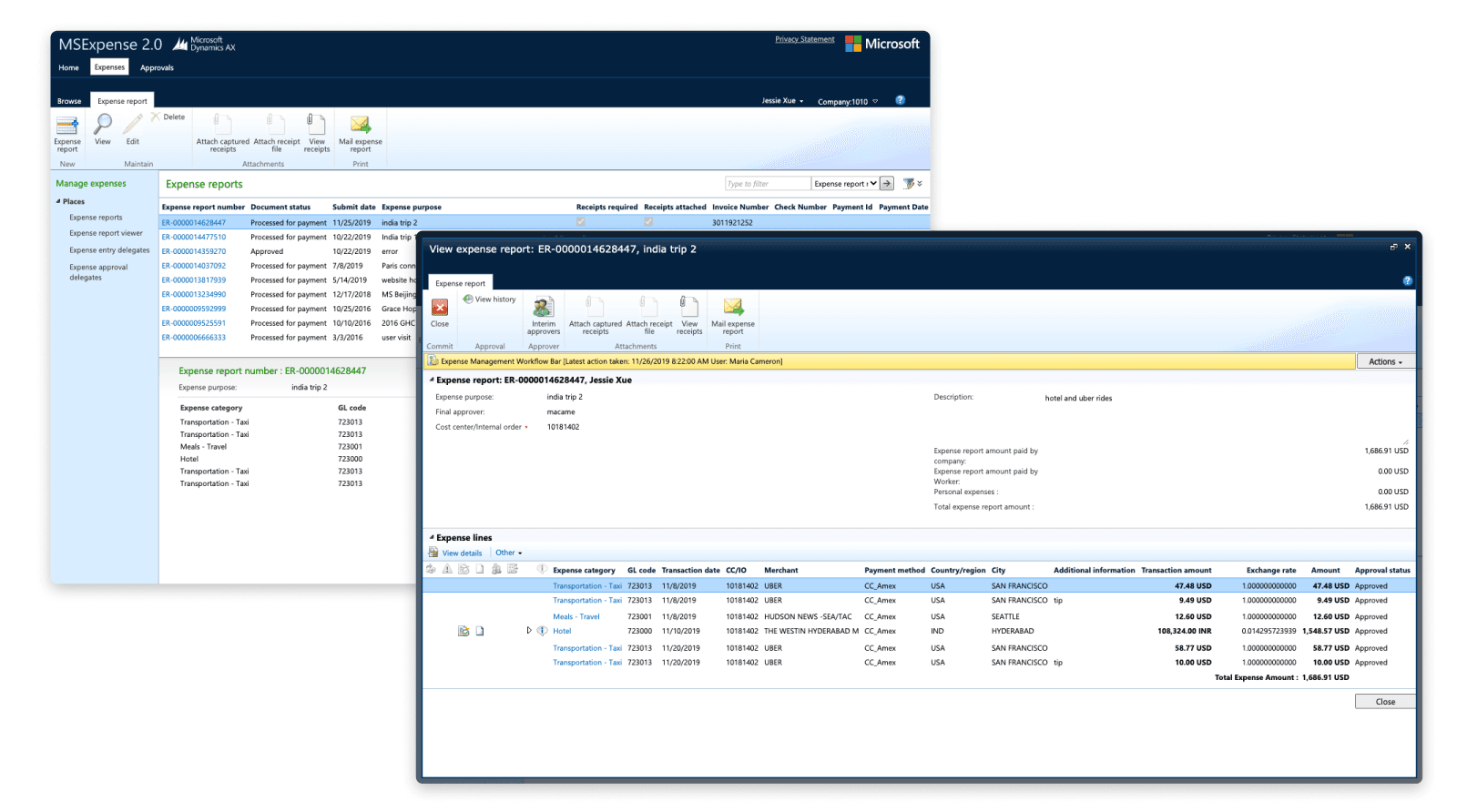
TODAY'S WEB EXPERIENCE FOR EXPENSE REPORT
I partnered with researchers to interview 27 employees across nine countries, including 19 ICs, three admins, and five managers:
I still find it difficult to keep track of every booking receipt in my email.
Keeping paper receipts and attaching them to each transaction is time-consuming.
Managing a team this large, I often forget to file expense reports before they’re due.
Sometimes I have no idea who the approver is for certain events and have to ask around.
Storytelling
Before designing individual features, I needed to align leadership around a larger vision. Rather than traditional wireframes, I used storyboards to visualize the ideal experience from the employee’s perspective. This approach allowed us to cover a wider range of finance scenarios quickly and steered discussions away from technical feasibility, UI, and backend logic. Instead, the focus was squarely on delivering a delightful user experience and desired outcome.
The storyboard became a five-year north-star vision, connecting future AI capabilities with work across multiple product teams. I presented it to our EVP and the CFO’s direct reports, helping the team secure funding to begin the modernization effort.
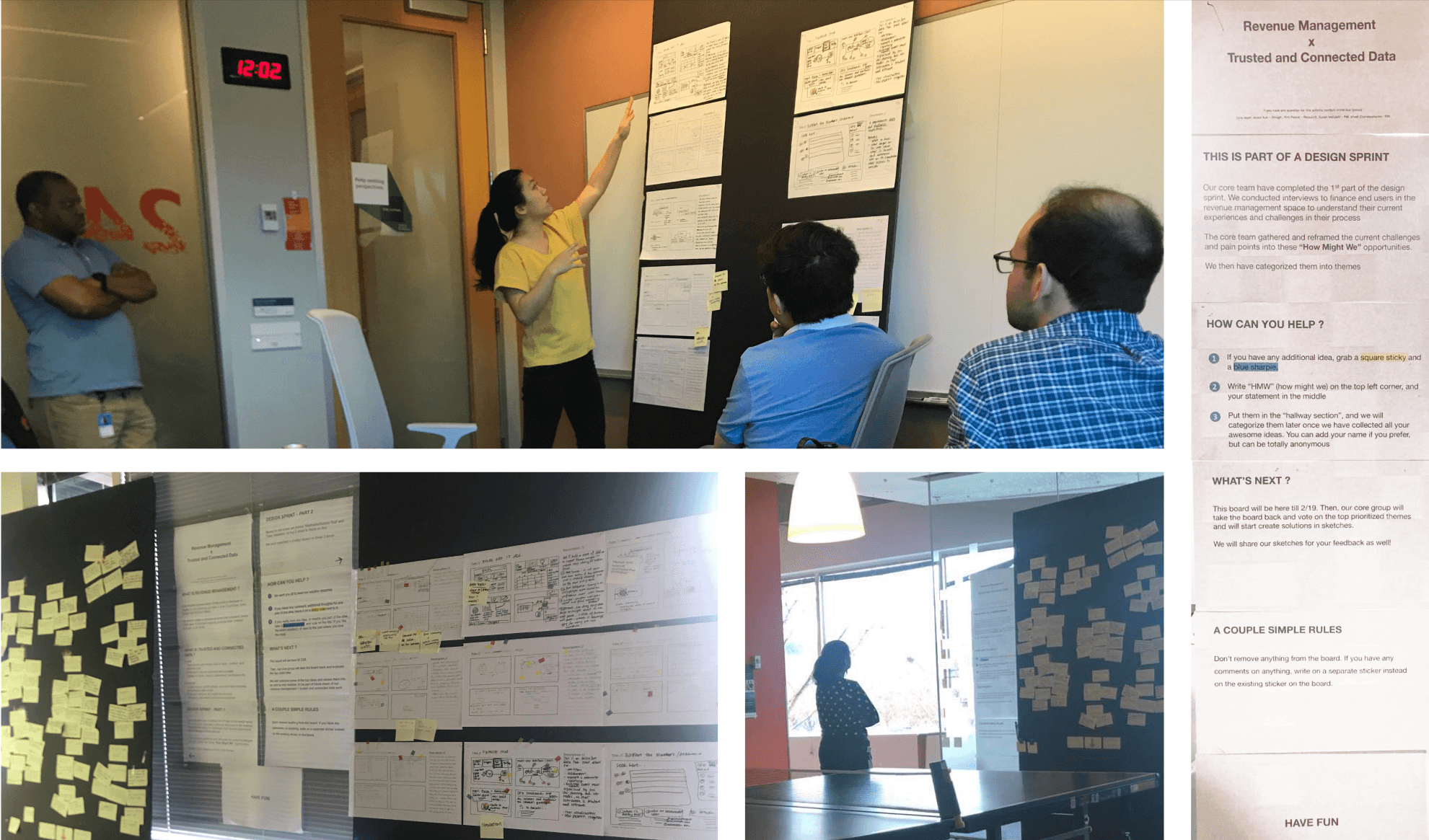
How might wegive employees their time back by creating a connected travel and expense experience that requires little to no manual effort and can be completed anywhere?
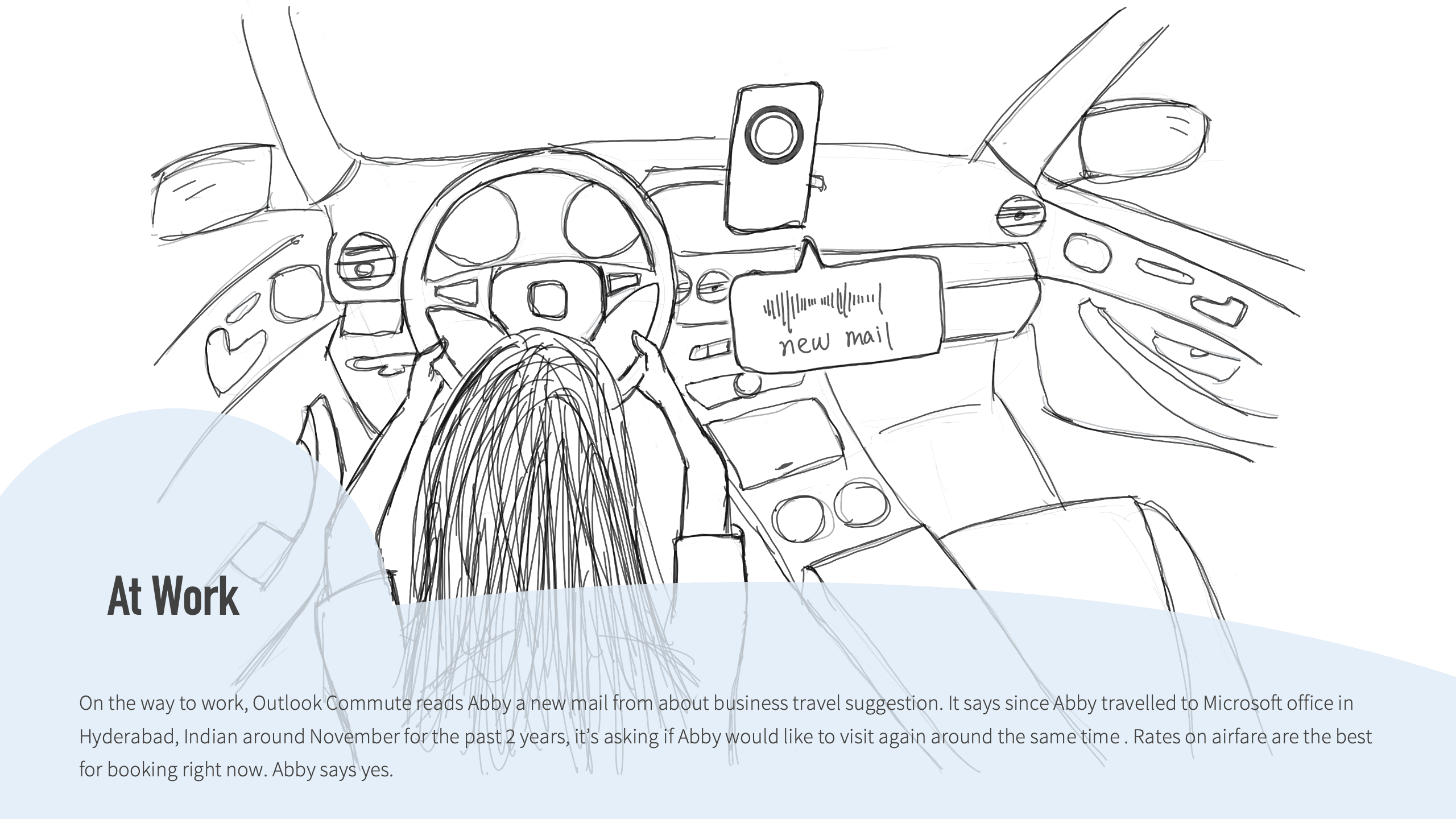
STORYBOARDS FOR THE MODERN FINANCE VISION
After the design sprint, I displayed the storyboards and HMW exercises in the engineering team’s common area and invited engineers and leaders to contribute. The goal was to make the vision visible and build momentum across the organization—not just inside the design workshop.
Design solution
I brought together 2 PMs, 2 engineers, and 2 finance business partners to turn Abby’s future-state story into a real product. We combined the storyboard with existing research to prioritize the highest-impact opportunities. The biggest opportunity was clear: challenge: creating an expense report was difficult, manual, and time-consuming.
One of my core principles was don't create another destination. Employees already had too many finance tools, so I partnered with the team behind "MyHub", Microsoft’s mobile hub for everyday employee tasks. Their mission was to enable employees to complete various tasks within a single app, such as finding dining menus, booking shuttles, and submitting vacations. The MyHub team had recently embarked on their journey and welcomed my involvement in developing the finance-related feature.
The solution automatically creates the expense reports on behalf of the employees and allows them to quickly verify and submit them with one click. I took the experience from wireframes through user testing, design critique, and engineering collaboration to launch in approximately two months, while simultaneously kicking off two other finance modernization initiatives.
AUTOMATED EXPENSE REPORT — PROTOTYPE ON iOS
VIEW EXPENSE REPORT HISTORY — PROTOTYPE ON iOS
Design Iteration
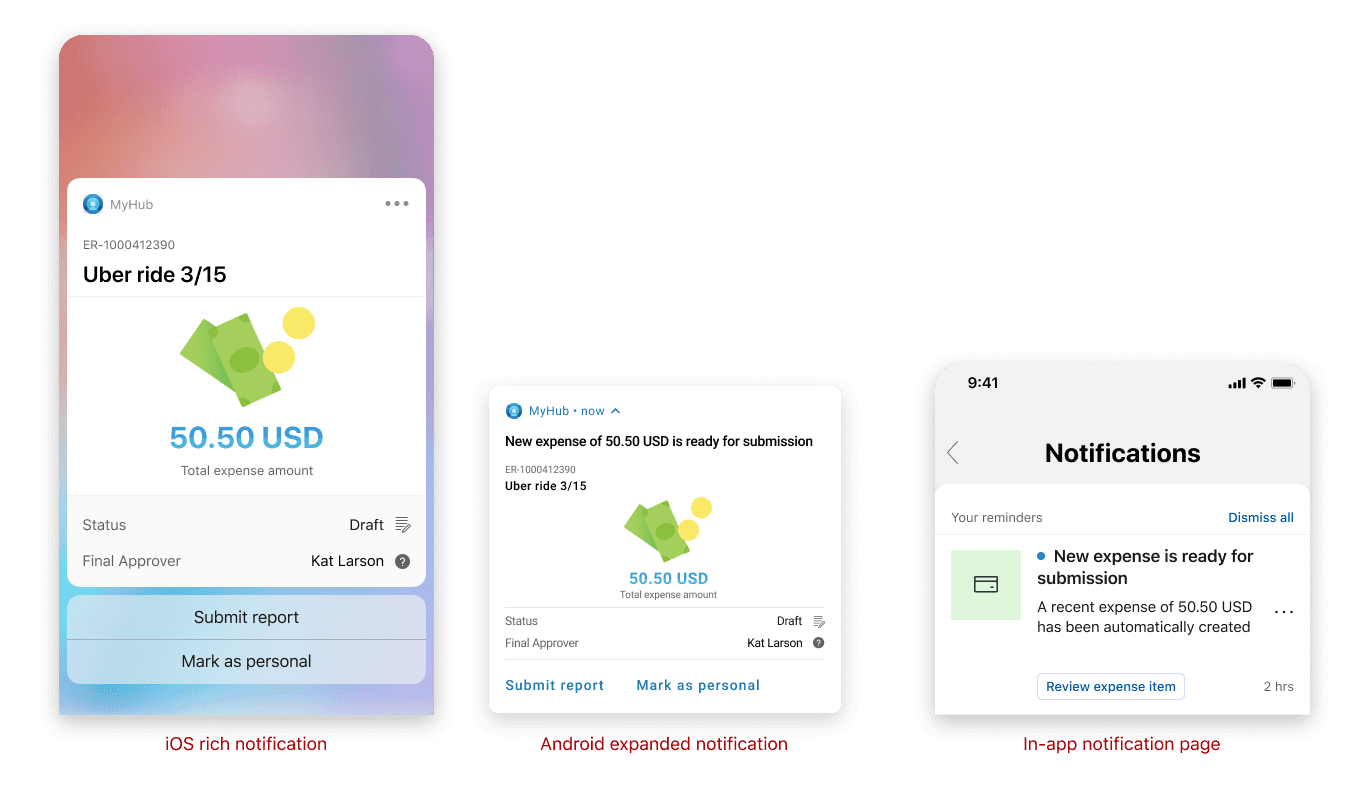
Could the experience become even more proactive? Employees traveling for business were often too busy to open a finance app just to check transactions. I saw an opportunity to utilize the notification system — notifying users as soon as a new transaction from their corporate AMEX credit card is captured, automatically creating a new expense report. I collaborated closely with engineers to understand the API capabilities for detecting transactions and their associated metadata. I wanted to enable quick actions directly from the notification, so that users can submit the expense report without opening the app.
MyHub did not yet have several of the mobile patterns I needed, including rich notifications. I studied native iOS and Android patterns and designed a solution that later became part of the MyHub component library.
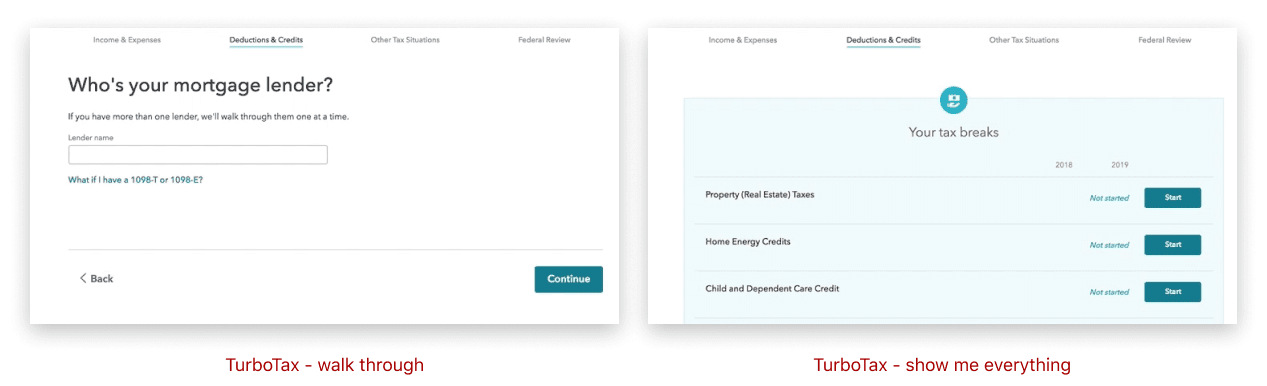
Automation only works if users still feel in control. In situations where users need to make changes to the automated expense report, they can easily open and modify the details. I explored various approaches for users to edit the details, including examining similar products with a lightweight user experience. TurboTax, for example, provides two methods for filling its tax form: a “walk through” version where TurboTax presents each question one by one in a logical order, and a “show me everything” option that allows users to view all the fields at once and choose which ones to edit.
Inspired by the UX of TurboTax, I explored two different options for editing expense report details. We conducted A/B testing with 7 users to compare these options. From the user testing results, Option A — “Show me everything” — was unanimously preferred due to its concise process for editing report details. Users appreciated being able to complete their tasks in fewer steps, as it maximized efficiency and saved time. I also partnered with the finance policy team to simplify the form, reducing ~12 fields to just 4 required fields.
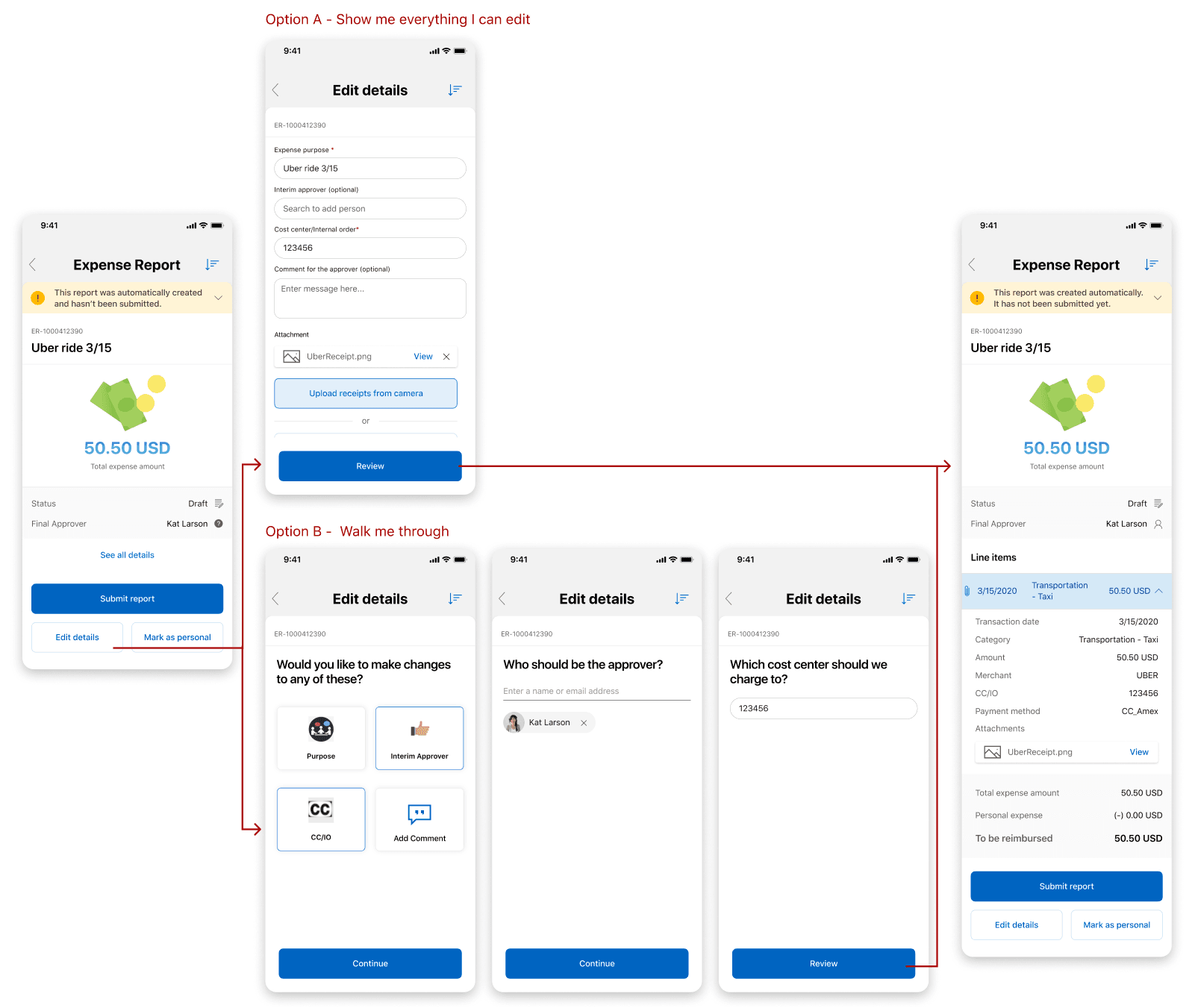
OPTION A — SHOW ME EVERYTHING (UNANIMOUSLY PREFERRED)
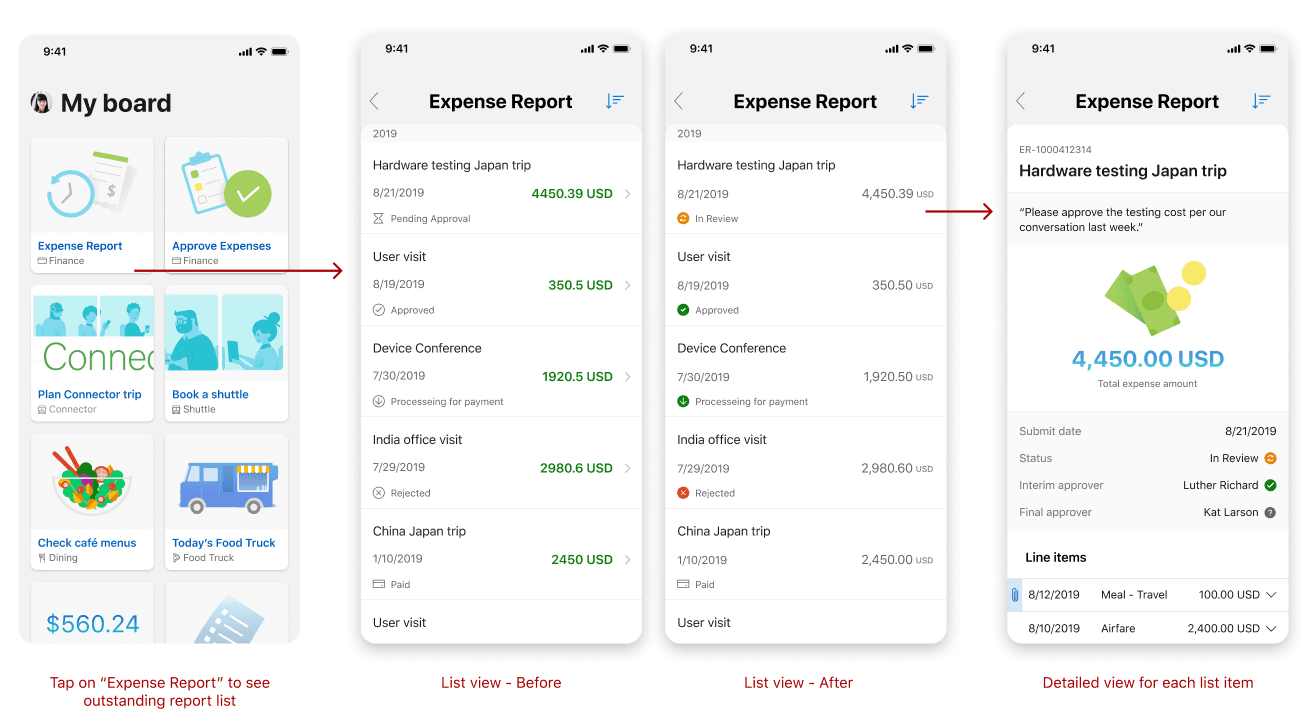
I also designed the experience for reviewing past expense reports and tracking status. My goal was a clean, easily scannable list.My first iteration emphasized the dollar amount, but testing and design critique showed that status was more important than amount when scanning the list.
Based on feedback received from users and fellow designers, I made the following adjustments:
- Users found the green color of the total expenses misleading, as it implied that the expense report was already completed, causing potential confusion.
- Users prioritized the status of the expense report over the dollar amount, as it was more relevant to their needs.
- Number formatting and decimal points should be consistent.
- The right arrow affordance on each item was deemed unnecessary, as it is natural for mobile device users to tap on the item to view details.
I intentionally didn't incorporate every request. I kept chronological sorting as the default because it was more natural for a history view, while allowing users to change the sort order. I also kept additional power-user details out of the list to preserve scanability and simplicity.
Final Thoughts
The experience shipped to 100K+ Microsoft employees in early 2020 and received overwhelmingly positive feedback. Shortly afterward, Covid dramatically reduced business travel, so many of the remaining ideas in Abby’s broader journey were deprioritized.
With continued investment, I would have explored:
- Extending the experience to Android and iOS dark mode.
- Enhance expense experience and bring manager approvals into MyHub.
- Adding more personality and delight through content and visual design.