
New Dashboard Editor
 Splunk
Overview
Splunk transformed how organizations make sense of the massive volumes of logs and events generated by modern software systems. By turning raw machine data into searchable insights, visualizations, and dashboards, it gave teams a powerful way to understand what was happening across their applications, infrastructure, and security systems.
Dashboards became a core part of that experience, helping teams monitor systems, investigate problems, and make decisions from complex data. But creating those dashboards often required significant technical expertise and a fragmented workflow across Splunk’s products.
In 2022, I led the design direction to overhaul Splunk's coding-to-dashboard experience, transforming a fragmented, code-heavy workflow into a more intuitive visual experience while preserving the power of Splunk's existing tools. I established the interaction model and visual language, partnered with product and engineering on the product direction, and led two designers across the work.
The result was an MVP that shipped to customers, shaped the roadmap for the following three quarters, and was followed by a 12% increase in Splunk Cloud usage in the months after launch.
The Problem
As Splunk accelerated its transition to the cloud, many existing customers still relied on the legacy on-premises Dashboard and Search experiences. Splunk Cloud introduced an opportunity to rethink dashboarding from the ground up, but customers had little incentive to leave behind a workflow they already knew.
How might weMake the new dashboard experience compelling enough to help migrate existing customers from on-premises to Splunk Cloud?
Previously, creating a dashboard was a multi-step journey across Splunk's products that heavily relied on SPL — Splunk's Processing Language:
- Step 1: Use SPL to find and import data.
- Step 2: Use SPL to clean, filter, and transform the data (Example 1).
- Step 3: Use SPL to create each chart, then iterate until the visualization is right (Example 2).
- Step 4: Jump to the Dashboard experience to rearrange the charts and manually lay them out for the best viewing experience.
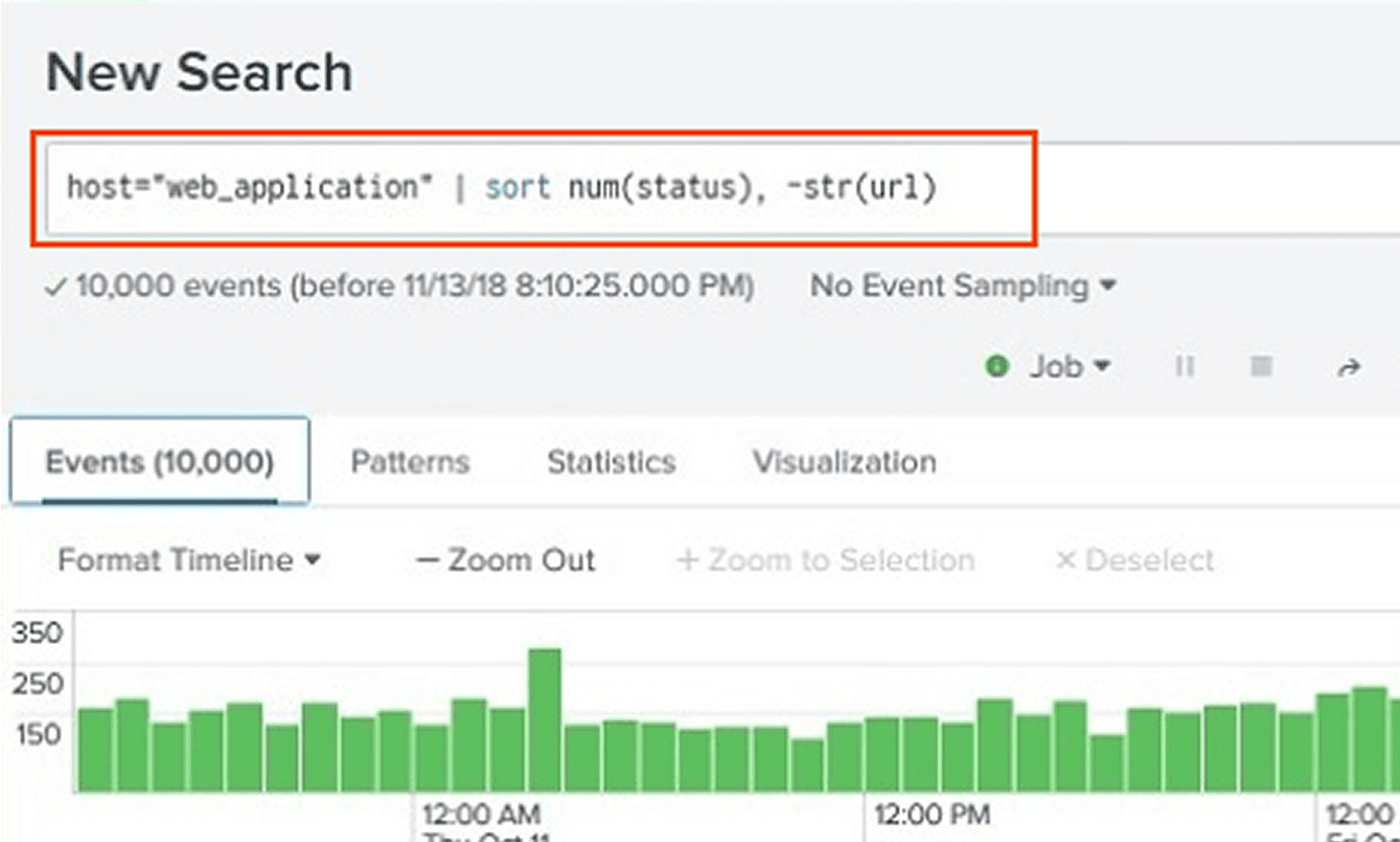
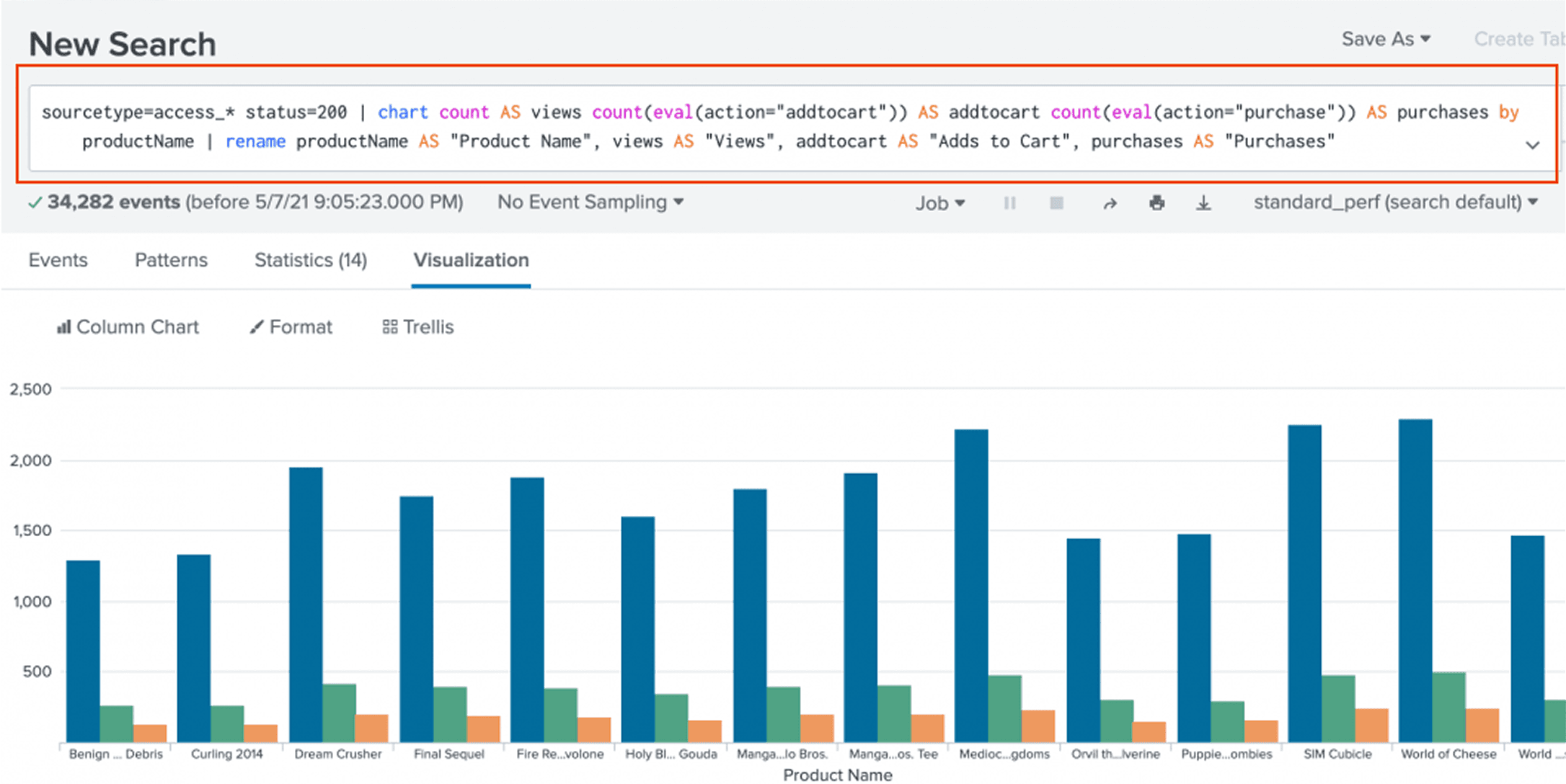
For power users, the workflow was efficient. But for many others, it meant learning an intimidating new language just to find and work with their data. Even common tasks like selecting datasets, choosing fields, filtering, aggregating, and creating visualizations required substantial knowledge of SPL — Splunk's Processing Language, despite being tasks that could be handled through a visual interface.
Three fundamental gaps stood in the way of a faster, more accessible dashboarding experience:
Code came before creation. Users had to write SPL just to find and prepare the data they wanted to visualize.
Simple tasks required specialized knowledge. Selecting datasets, choosing fields, filtering, and aggregating could all be done visually, but users were expected to know SPL to accomplish them.
Data and dashboard design lived in separate experiences. Once the right data was pulled into a chart, users had to copy it into a separate Dashboard product and manually style it. They repeated this process dozens of times to complete a dashboard. Any change to the data meant going back to the coding experience, rerunning the query, and repeating the process—making it slow and difficult to iterate on both data and visual design.
Key Design Strategy
As the Principle IC, I defined this ambitious strategy with the PM and engineering director. We made a strategic decision to create a brand-new, visual, canvas-first experience while preserving and improving the existing code-to-dashboard workflow. Rather than replace one with the other, we designed the two experiences to work together, making the new Cloud workflow accessible to a broader audience while giving existing experts a familiar path into it.
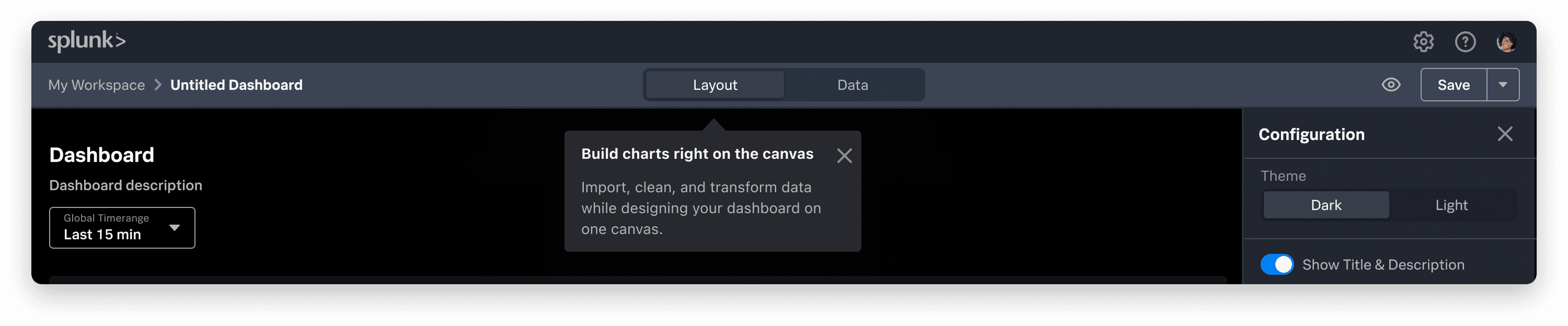
Introducing the new way of building dashboards, while preserving the old code interface in “Data”
I led the design direction across both experiences with 2 senior level designers. Bringing the PM and engineering team together, we focused on JTBD to identify the different jobs behind dashboard creation and where the existing workflow broke down. We used those findings to shape the product backlog and prioritize the first MVP.
I led the vision to redefined the user flow, using a side panel to visually select, filter, instead of using SPL to perform these function. Design the dashboard while editing data is now possible with every step living together in the same canvas.
Add a chart: Instead of writing SPL, the entire experience now starts from picking a chart. It's the most important moment in the new workflow as it established how users would discover dashboard's capabilities and begin turning data into something meaningful.
Explored several interaction models, balancing discoverability with the need to keep the canvas visible and useful, the final direction used a dedicated modal to layout all possible elements like charts, shapes, and other elements, paired with contextual explanations and visual examples on the left panel.
The goal wasn't simply to provide more options — it was to help users understand what they could create before deciding how to create it.
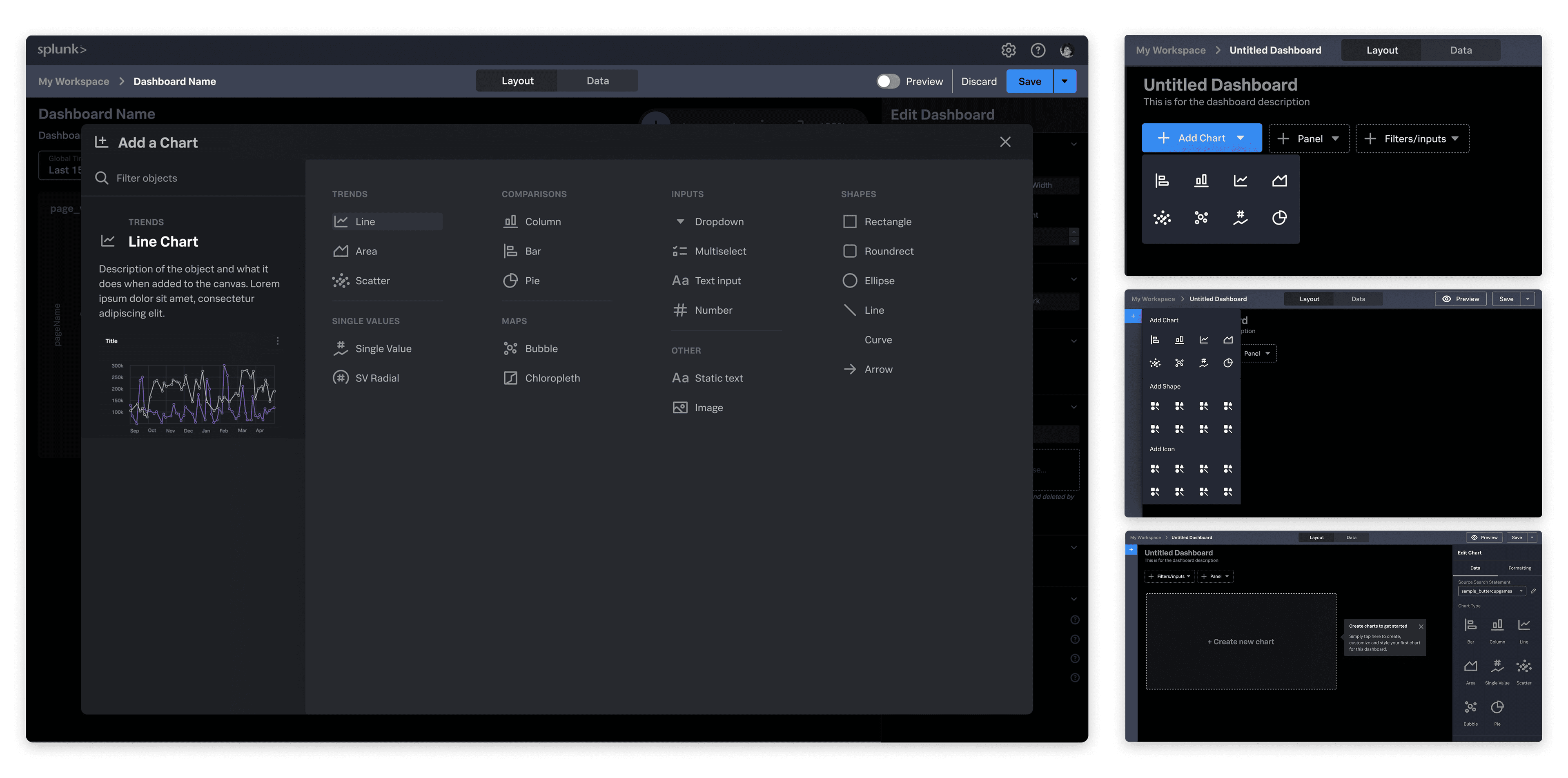
Final modal option and other interaction explorations
Advanced editing: The visual workflow still needed to support the depth of Splunk. Users needed controls for filtering and transforming data, configuring axes, selecting colors, and designing the layout.
The challenge was density without intimidation. Chart panel was just one example of advanced editing that we designed from scratch and made sure we offer a visual consistency while bring clarity to the canvas.
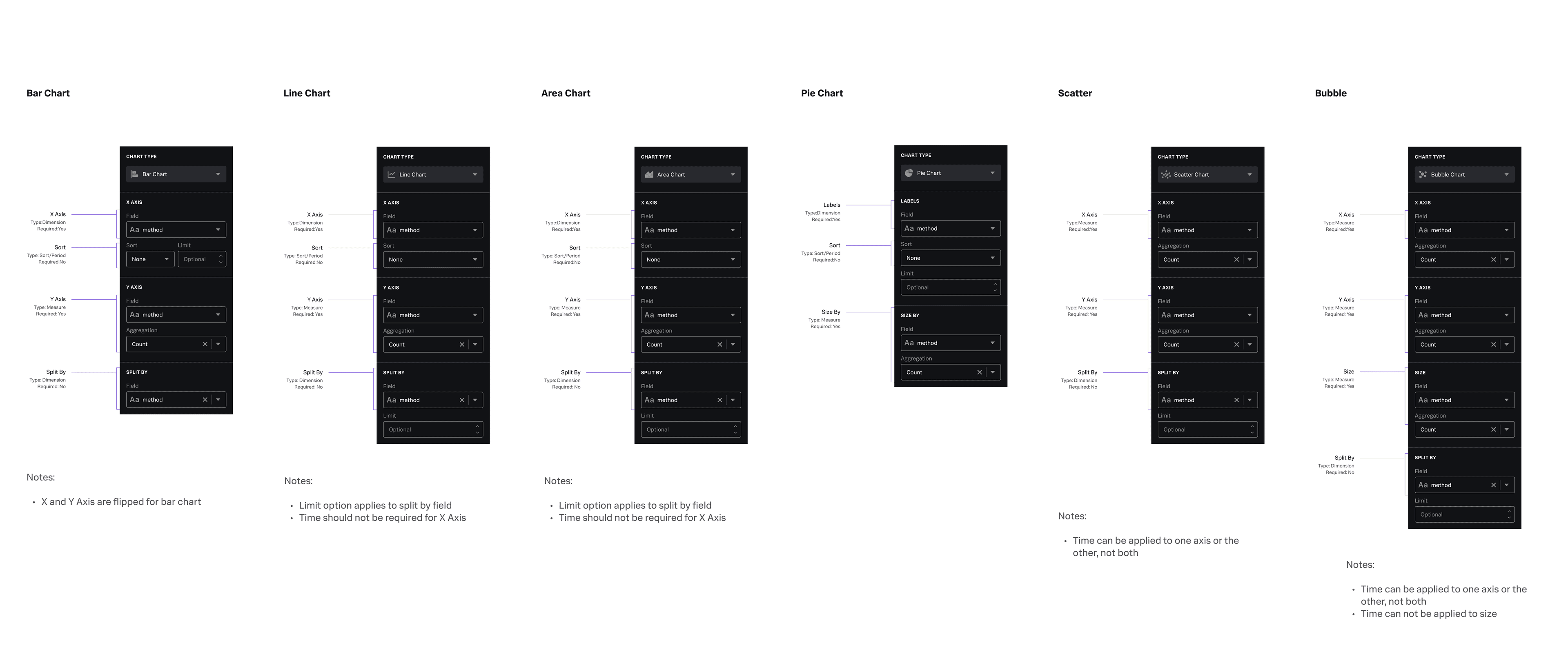
Consistent chart editing panel follows user mental model
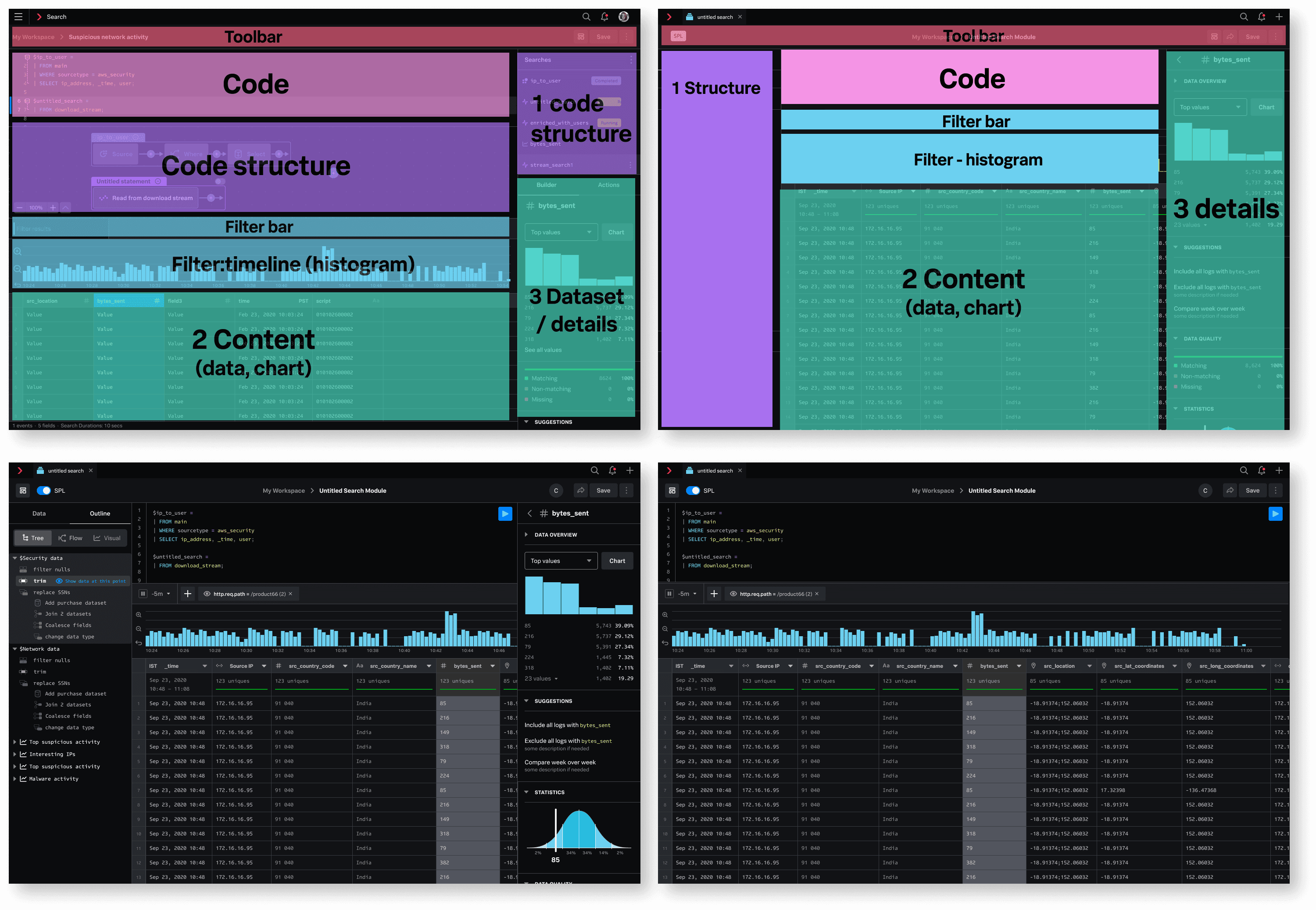
Making the existing coding flow better: Making dashboarding easier couldn't come at the expense of existing power users. The coding flow remained essential for users who relied on SPL for complex analysis. Rather than replacing it, I designed it to coexist with the new visual workflow, while improving the visual hieriachy of multiple parts on the page.
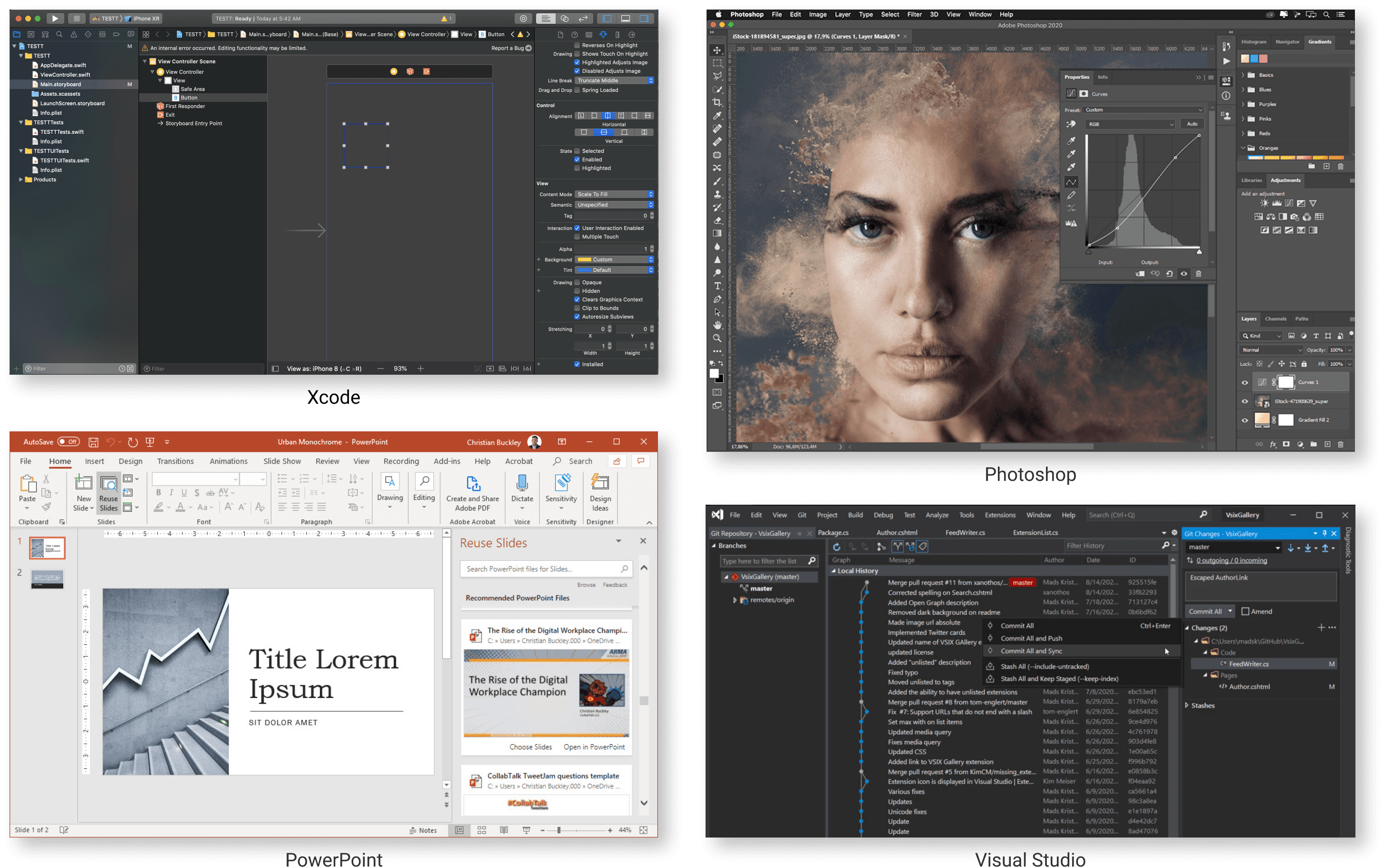
Outcome
The first MVP of the new dashboarding experience shipped to customers and helped establish the dashboard roadmap for the following three quarters.
Usage increased 12% in the months following launch. While the increase reflected broader product adoption efforts, the new dashboard experience became an important part of the strategy for moving customers from the legacy on-premises workflow toward Cloud.
More importantly, the project established a new foundation for dashboard creation: a visual workflow that made complex data more approachable without removing the depth that existing Splunk experts relied on.
While we celebrated the success, I reflected on the product strategy:
Technical constraints forced us to defer many interactions improvements for the new canvas, such as dragging and expanding/collapsing panels. In hindsight, I would have protected these interactions earlier in prioritization. They weren't polish, they were fundamental to making the new interaction model feel meaningfully different and more natural.
We intentionally retained the old coding to dashboard flow to avoid disrupting power users, but its complexity continued to consume significant design and engineering effort. I would have established a clearer boundary earlier: keep the “data to dashboard” flow focused on limited, advanced analysis while investing more of the team's capacity in making the new visual workflow exceptional.